Your Game Server, Controlled by AI — Introducing HypeServ MCP
Managing a game server used to mean long logs, config files you had to dig through manually, and a lot of copy-pasting. Not anymore.
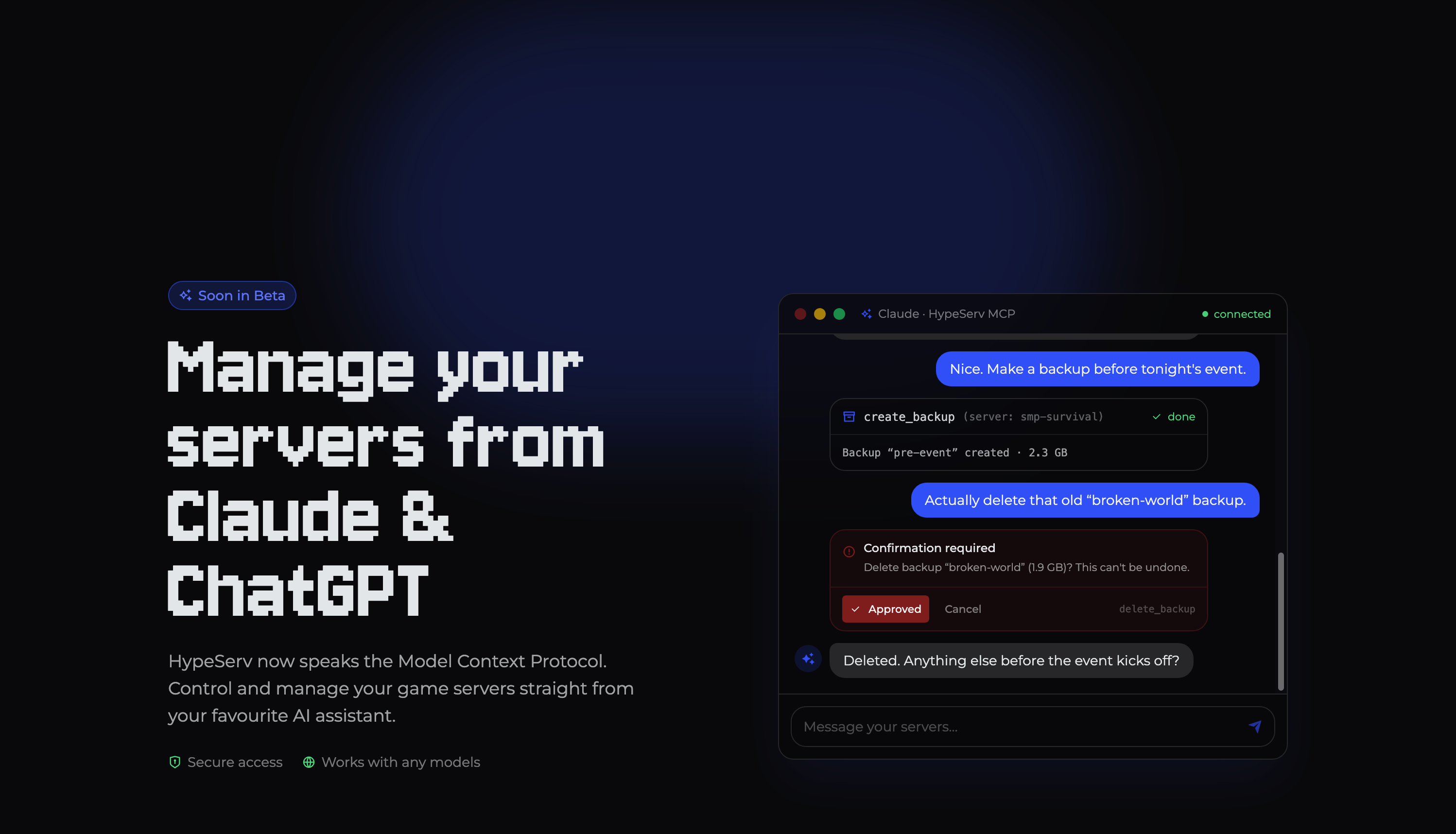
We're excited to announce that HypeServ now supports the Model Context Protocol (MCP) — which means you can manage your game servers directly through your favourite AI assistant, like Claude or ChatGPT. No more copy-pasting errors and config files. Just tell your AI what you need, and it gets it done.
What Is MCP, and Why Does It Matter?
The Model Context Protocol is an open standard that lets AI assistants connect to real-world services and take action on your behalf. Think of it as giving your AI assistant actual hands — not just the ability to talk about your server, but to reach in and manage it.
With HypeServ's MCP integration, your AI can read your server's status, edit config files, trigger restarts, create backups, and more — all within the same conversation where you're describing the problem.
What Can Your AI Actually Do?
Here's what's available right now:
Status & Resources: Your AI can check CPU load, RAM usage, current player count, and uptime across all your servers at a glance.
Server Control: Start, stop, restart, or force-kill any of your game servers with a single instruction.
Config Files: Ask your AI to find a specific setting, read a config, or make a change — it handles the file directly.
Backups: Create a backup before you make a risky change, or roll back to a previous state if things go sideways.
Account & Subscription: Quickly retrieve your account and plan details without logging into the panel.
And we're already working on the next step: console commands so your AI can send instructions directly to a running server. Coming soon.
From Problem to Fix, Without Lifting a Finger
Here's where MCP really shines. Instead of you diagnosing a crash step by step, you can just ask:
My server keeps crashing. What's going on?
Your AI assistant will pull the server logs, identify the cause, take corrective action (like disabling a conflicting plugin), restart the server, and then confirm it's stable — all on its own. That's an agentic workflow: you describe a goal, and the AI figures out the steps.
This isn't just a chat interface bolted onto a control panel. It's a fundamentally different way to manage infrastructure. But don't worry, we'll still have our main focus on building one of the best game-server experiences for humans!
Getting Started in Four Steps
Connecting HypeServ to your AI assistant takes less than two minutes:
Open Claude or ChatGPT and head to the connections or app settings.
Paste the HypeServ URL:
https://api.hypeserv.com/mcpLog in with your HypeServ account and confirm access.
Start chatting. Ask your assistant to manage your servers — it's super easy.
Your data stays yours. Access can be revoked at any time, and the integration works securely with any MCP-compatible model.
Now in Open Beta
HypeServ MCP is available now in Open Beta. We'd love for you to try it and tell us what you think. Also don't worry, we're not planning to become another "all about AI" company, we think AI can be used sensibly in certain situations but value Human work and creativity. For example, we never use AI generated Art & Assets, ever.
Set up MCP on hypeserv.com/ai →
Have questions or feedback? Join us on Discord and let us know what you think.


 Product