GTNH 2.9 is still in open beta, but the update path from 2.8.x is the same process you'll follow once 2.9 goes stable. Here's how to do it, whether you're on HypeServ or self-hosting.
Updating on HypeServ
This one's super easy thanks to our first party GTNH integration:
Back up your server first, from the backups tab in your server panel.
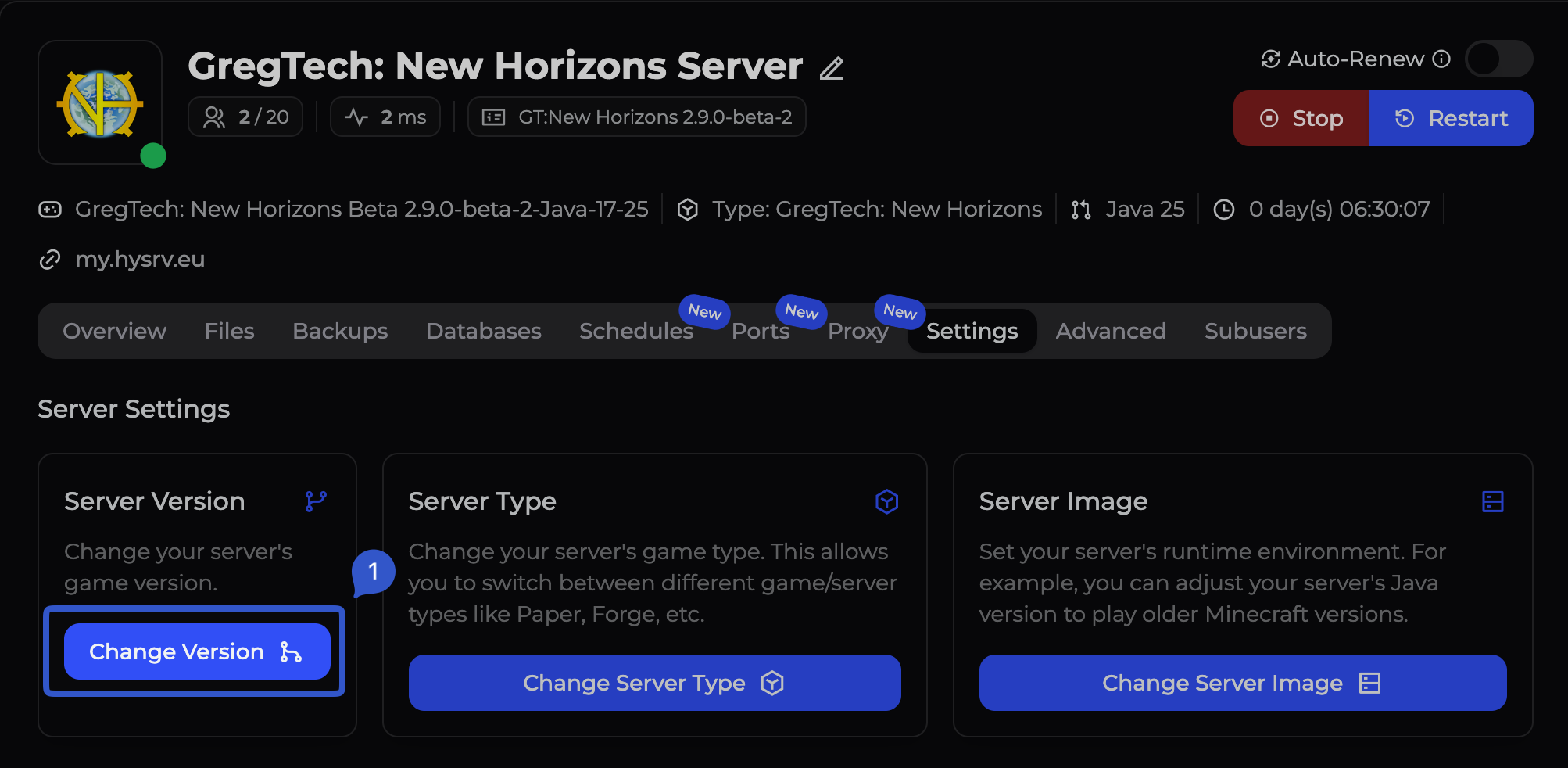
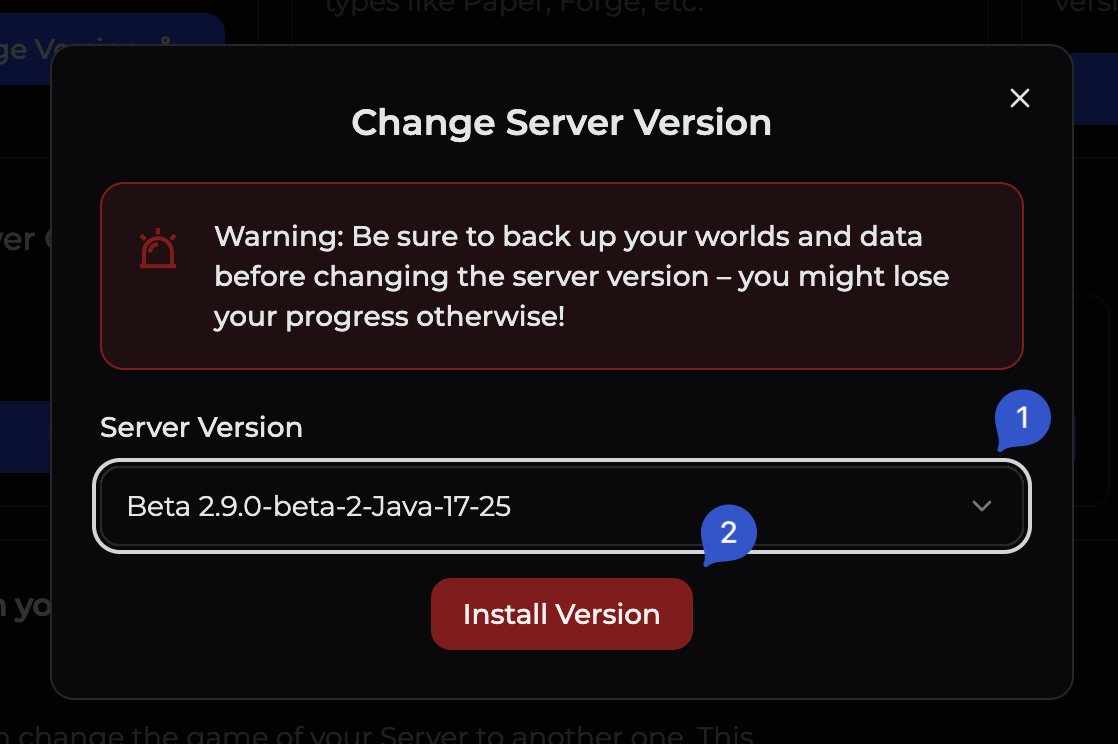
Head to your server settings and open the version dropdown, then select 2.9.0 beta.
Double-check the Java version. GTNH 2.9 supports both Java 8 and Java 17–25, so make sure the pack version you pick matches whichever Java build your server is already running (Java 8, or Java 17–25). Mixing these up is the most common source of startup issues.
That's it! HypeServ handles the file swap, and restart for you.
Updating a self-hosted server
If you're running GTNH yourself, the process is more manual but still manageable:
Pick your version. The latest release is the highest version number linked on the GTNH downloads page.
Download the new server archive (.zip) and make sure it matches your current servers version (Java 8 vs 17-25).
Back up your entire server folder before touching anything.
Delete the
config,libraries,mods,resources(if present), andscripts(if present) folders.⚠️ Before deleting
config, note that you'll need theJourneyMapServersubfolder again in a later step. It holds your world's map UUID, so losing it means clients lose their JourneyMap data for your server.If you're on Java 17+: also remove
java9args.txt,lwjgl3ify-forgePatches.jar,startserver-java9.bat, andstartserver-java9.shfrom the main server folder.Copy in the folders and files from the downloaded archive. It's normal for newer versions to no longer include
resourcesorscripts.Re-apply your custom config changes by hand, using your backup as reference — don't just copy your old
configfolder back in, or you'll miss new functionality that ships with 2.9!Restore
JourneyMapServerfrom your backed-upconfigfolder, so your world keeps its map UUID.On Java 17+: everything should work as downloaded — no extra config needed. For anything unusual, you can also check the official GTNH Wiki for any information.
Have fun out there
That's the whole update, it's actually quite simple! Whether you're picking up right where you left off or starting fresh on 2.9, enjoy the new Angelica shaders and the reworked AE2 setup. And with that, good luck on the way to Stargate. 🚀


 Product